




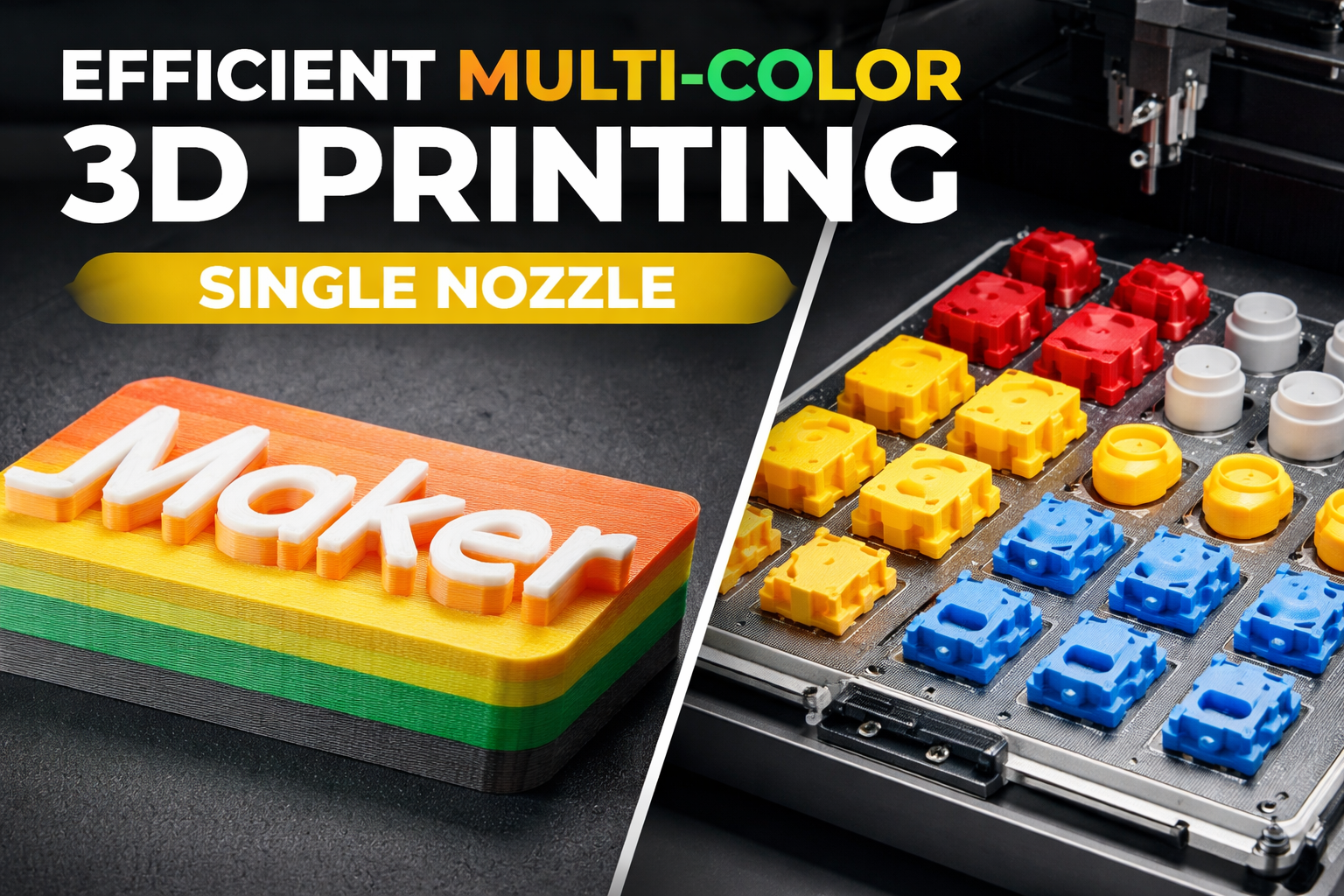
Multi-color 3D printing is often associated with long print times, excessive filament waste, and complicated hardware. For many years, these assumptions were justified. Printing multiple colors with a single nozzle meant frequent filament changes, manual intervention, and a lot of waiting. With modern material handling systems like the Bambu AMS, this has fundamentally changed. Today, single-nozzle multi-color 3D printing can be highly efficient, predictable, and even faster than traditional workflows when planned correctly. At Woodency, multi-color printing with one nozzle is not an experiment or a gimmick. It is a practical tool used in everyday production, model-making, and small-series manufacturing.
Single-Nozzle Multi-Color Printing Has Evolved
The biggest misunderstanding around multi-color 3D printing is the assumption that every color change automatically adds massive time penalties. In reality, it is not the number of colors that matters, but how and when the printer is forced to switch between them.
Modern systems such as the Bambu AMS handle filament loading, unloading, and purging automatically. This removes human error, reduces downtime, and allows color changes to happen at precisely defined moments in the print. The result is a workflow that can be optimized just like any other production process. When color changes are planned intelligently, the printer spends most of its time doing what it should: printing parts rather than waiting, cleaning, or stopping.
Layer-Based Color Changes: Clean, Fast and Predictable
Layer-based color changes are one of the most efficient ways to print in multiple colors with a single nozzle, as long as the model geometry supports it. Instead of switching colors within the same layer, the printer only changes filament when moving from one layer to the next. This aligns perfectly with the natural workflow of an FDM printer and keeps additional overhead to a minimum.
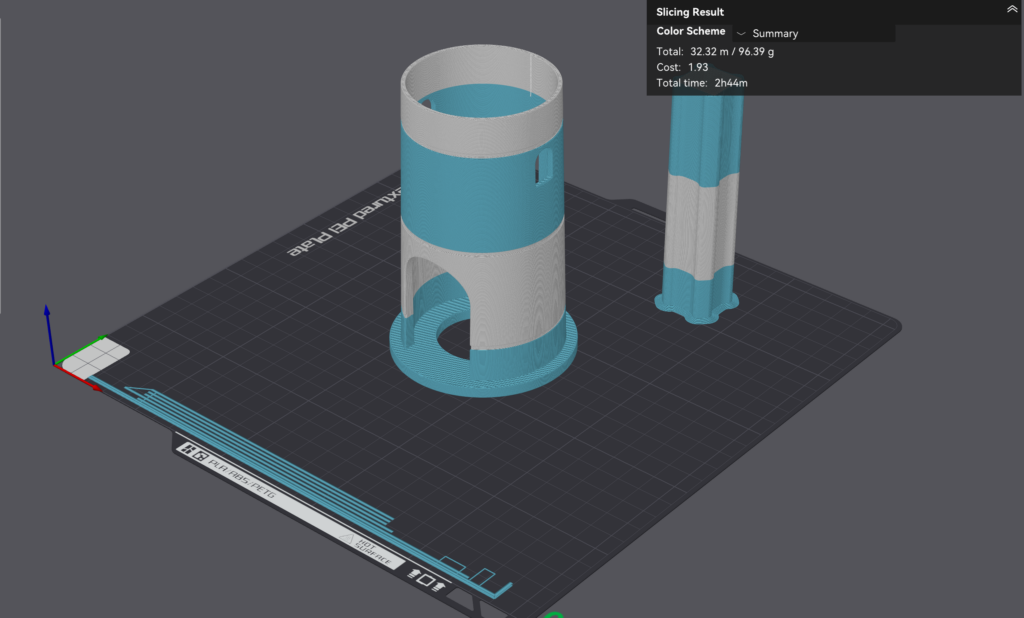
In practical terms, this means that a multi-color print using layer-based color changes can finish only slightly slower than a single-color print. The printer does not need to interrupt a layer, purge mid-layer or repeatedly stabilize extrusion. Color changes happen at predictable moments and are easy to control in the slicer.
Why Fewer Color Changes Matter More Than Visual Detail
The biggest advantage of layer-based color changes is the drastic reduction in the total number of filament swaps. Every avoided color change saves time, purge material, and unnecessary nozzle movements. For this reason, it is often worth rethinking how colors are distributed across a model.
Instead of assigning colors to fine surface details, it can be more efficient to group color changes into broader horizontal sections. This may mean sacrificing small visual accents in favor of larger, cleaner color areas. In return, print time and material use drop significantly, resulting in a more consistent, visually cleaner output. For production-oriented prints, signage, logos, or functional parts, this trade-off is usually more than acceptable. The print becomes faster, more reliable, and easier to reproduce.
Distributing Colors Across Layers for Better Efficiency
In many cases, models can be slightly adjusted to better support layer-based color changes. By redistributing colors across layers and aligning them with the geometry’s natural height changes, it is possible to achieve a strong visual effect with very few filament swaps.
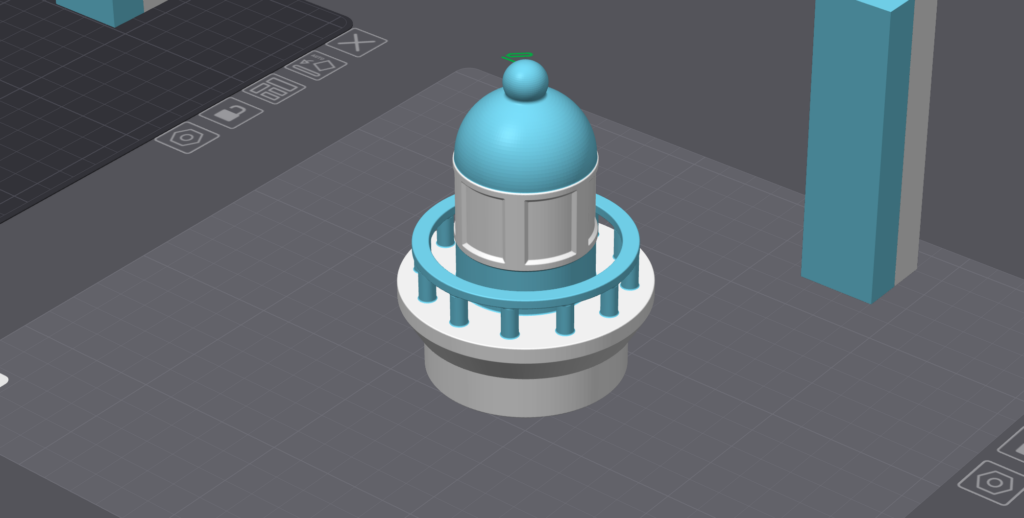
This approach shifts the focus away from complex multi-color details and toward clear, readable color separation. The printer benefits from longer uninterrupted printing phases, while the finished part still clearly communicates its design intent.
When Layer-Based Color Changes Are the Better Choice
Layer-based color changes are particularly effective for parts where colors are naturally separated along the Z-axis. Nameplates, text elements, logos, architectural details and decorative parts often benefit from this approach. In these cases, the simplicity of the color strategy directly translates into faster print times and lower filament waste. When used intentionally, layer-based color changes are not a limitation but a design tool. By accepting minor compromises in detail, single-nozzle multi-color printing becomes fast, predictable and well suited for both creative and production-focused workflows.
Printing Multiple Objects in Different Colors on One Build Plate
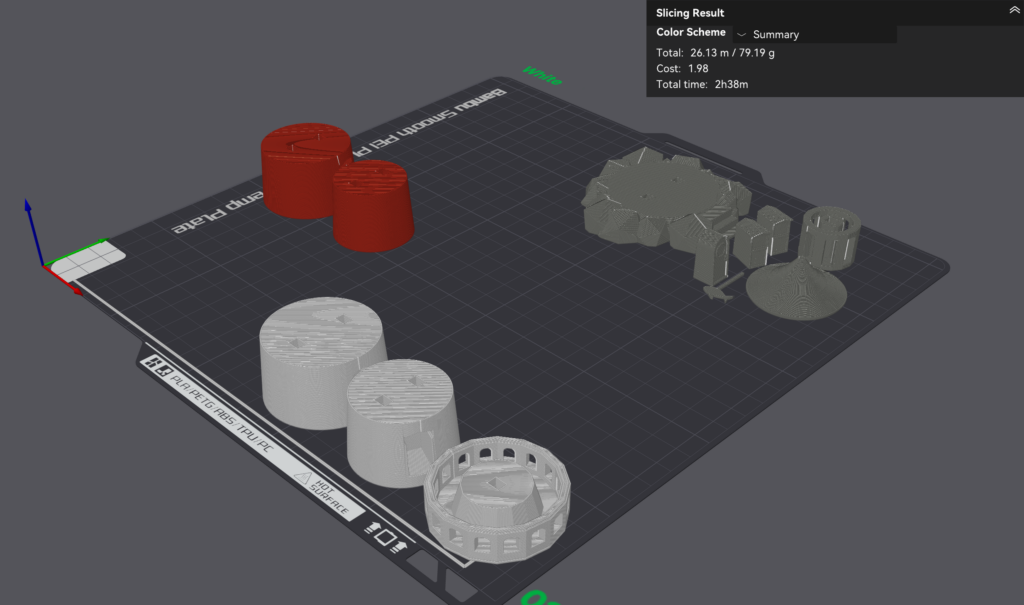
Printing the parts of a lighthouse model layer by layer with color changes resulted in a total print time of 9 hours and 14 minutes. By switching to print-by-object sequencing, the same set of parts was completed in just 2 hours and 38 minutes while saving approximately 90 grams of filament. This is especially notable considering that the finished model itself weighs only 70 grams. The dramatic improvement was not achieved by increasing print speeds or changing quality settings, but purely by reorganizing how the parts were arranged and processed by the slicer.
Why Layer-by-Layer and Separate Color Prints Are Inefficient
When printed layer by layer, the lighthouse parts required constant filament changes throughout the build height. Each swap introduced purge cycles, stabilization delays and non-productive movements. This alone caused extreme filament waste and excessive print times.
At first glance, printing each color on a separate build plate might seem like a faster alternative. In practice, this approach introduces its own overhead. Each new print job requires reheating the bed and nozzle, repeated start-up routines, bed leveling cycles, and manual intervention between jobs. Even though each individual print is single-color, the total time quickly exceeds that of a well-planned multi-color object sequence.
How Color-Based Object Grouping Improves Efficiency
Print-by-object sequencing avoids both problems by completing one object at a time while keeping the printer running continuously. To maximize this benefit, all parts of the same color must be arranged together and treated as a single logical unit. In the lighthouse example, same-color parts were aligned in a straight line and merged into one assembly in the slicer. This allowed the printer to print all parts of one color in a single uninterrupted process before switching to the next filament.
Because the printer remains heated and active throughout the entire job, there is no repeated setup overhead. Filament changes are reduced to the absolute minimum, and the machine spends almost all of its time producing parts rather than preparing for the next print.
Why Object Sequencing Outperforms Multiple Single-Color Print Jobs
Merging the same-color parts into a single assembly transforms many small print jobs into a single continuous workflow. From the printer’s perspective, this is far more efficient than stopping and restarting for each color on a separate build plate. Travel moves are minimized, nozzle motion becomes predictable, and purge waste is limited to a few controlled color changes.
This is why print-by-object sequencing can be faster not only than layer-based multi-color printing, but also faster than printing each color in separate single-color runs. In the lighthouse example, this strategy reduced print time by more than two-thirds while saving more filament than the final model even weighs.
Choosing the Right Strategy Matters
There is no single “best” method for multi-color printing. The optimal approach depends on the part’s geometry, the color distribution, and the production goal. Layer-based color changes excel when colors are clearly separated along the Z-axis. Print-by-object sequencing shines when producing multiple single-color parts in one run. Understanding these differences is what separates slow, wasteful multicolor prints from fast, professional results.
Single-nozzle multi-color 3D printing is no longer a compromise or a niche technique. With modern systems like the Bambu AMS, it has become a reliable, efficient, and production-ready workflow. At Woodency, these techniques are used to reduce print times, simplify workflows, and deliver high-quality multi-color parts without unnecessary complexity. When planned correctly, multi-color printing doesn’t slow you down. It makes your production smarter.